Product
One platform.
Four layers of trust.
Connections, Beacons, Guest Codes and Seals are four independent primitives that together cover every surface where AI-powered fraud can strike — voice calls, video meetings, physical access and documents.
Connections
Mutual identity codes for people you know.
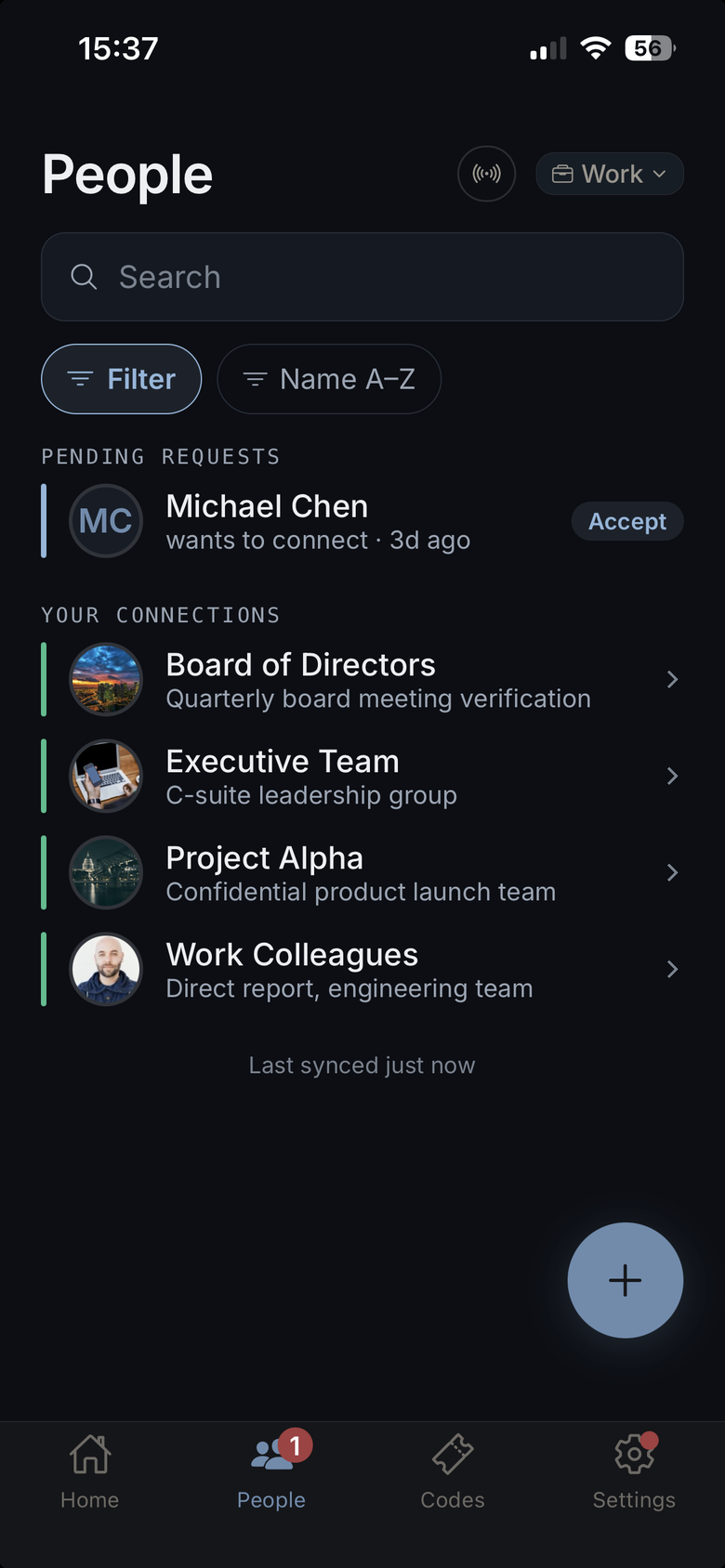
A Connection is a mutual encrypted secret shared between two people — established once, in person. Each side's app derives three words from that secret and the current time window. When a call comes in, you ask "What's your code?" and the words either match or they don't. AI voice clones, deepfakes and imposters cannot know the current words.
How it works
- 1Meet in person and scan each other's QR code (or share a secure invite link).
- 2An end-to-end encrypted secret is exchanged — neither party's server ever sees the plaintext.
- 3Both apps derive the same three words from the shared secret and the current time window.
- 4On any call, ask for the code. If the three words match — it's really them.
Use cases
- Elderly parents verifying their children before sending money
- Colleagues confirming executive instructions before wire transfers
- Business partners verifying each other before discussing sensitive matters
- Family members staying safe from grandparent scams and emergency fraud
Key properties
- Zero-knowledge — the server never sees decrypted secrets or codes
- Offline-first — works in airplane mode, remote areas, emergencies
- Automatic rotation — every six hours on a free account, longer intervals on Business
- Free forever for up to 10 connections
Beacons
Publish a rotating code so the person you called can confirm it is really you.
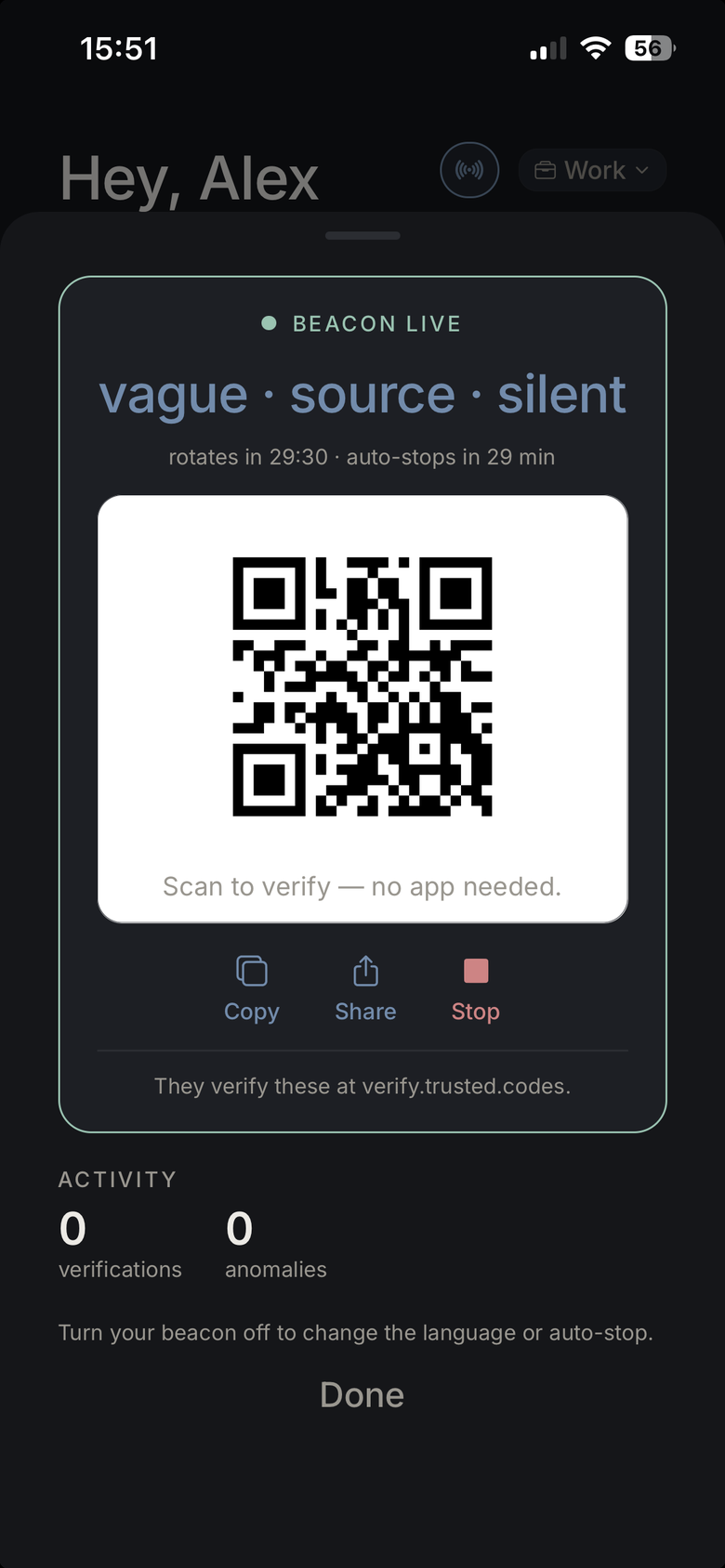
A Beacon is your own rotating identity code, which you switch on so the people you contact can confirm they are genuinely dealing with you. It belongs to you, not to your employer: the code is computed on your device from your own secret, and you decide when it is live. The common use is an employee phoning a customer, so publishing one comes with a Business plan — but checking one is always free, and the person checking needs no app and no account. It is a session rather than a permanent badge: the code works while the call is running and then stops.
How it works
- 1You switch your Beacon on in the app for as long as you need it.
- 2Your app shows three words, computed on the device from your own secret.
- 3You read them out, or give the person your Trusted Codes handle to look up.
- 4They check it in the app or with a free web check — no account needed. Matching words mean it is genuinely you.
Use cases
- Bank fraud teams calling customers about suspicious activity
- IT helpdesk staff requesting credential resets or remote access
- Healthcare providers calling patients to confirm appointments or prescriptions
- Government agencies making outbound compliance or benefit calls
- Insurance adjusters calling policyholders after claims
- Utility companies calling about outages or scheduled maintenance
Key properties
- No app and no account for the person checking you — the web check is free
- Yours, not the company's — computed on your device, and you choose when it is live
- Works alongside existing caller ID — adds cryptographic proof caller ID cannot provide
- Lose your seat in the organisation and the Beacon stops verifying
Guest Codes
One-time verification for anyone — no account needed.
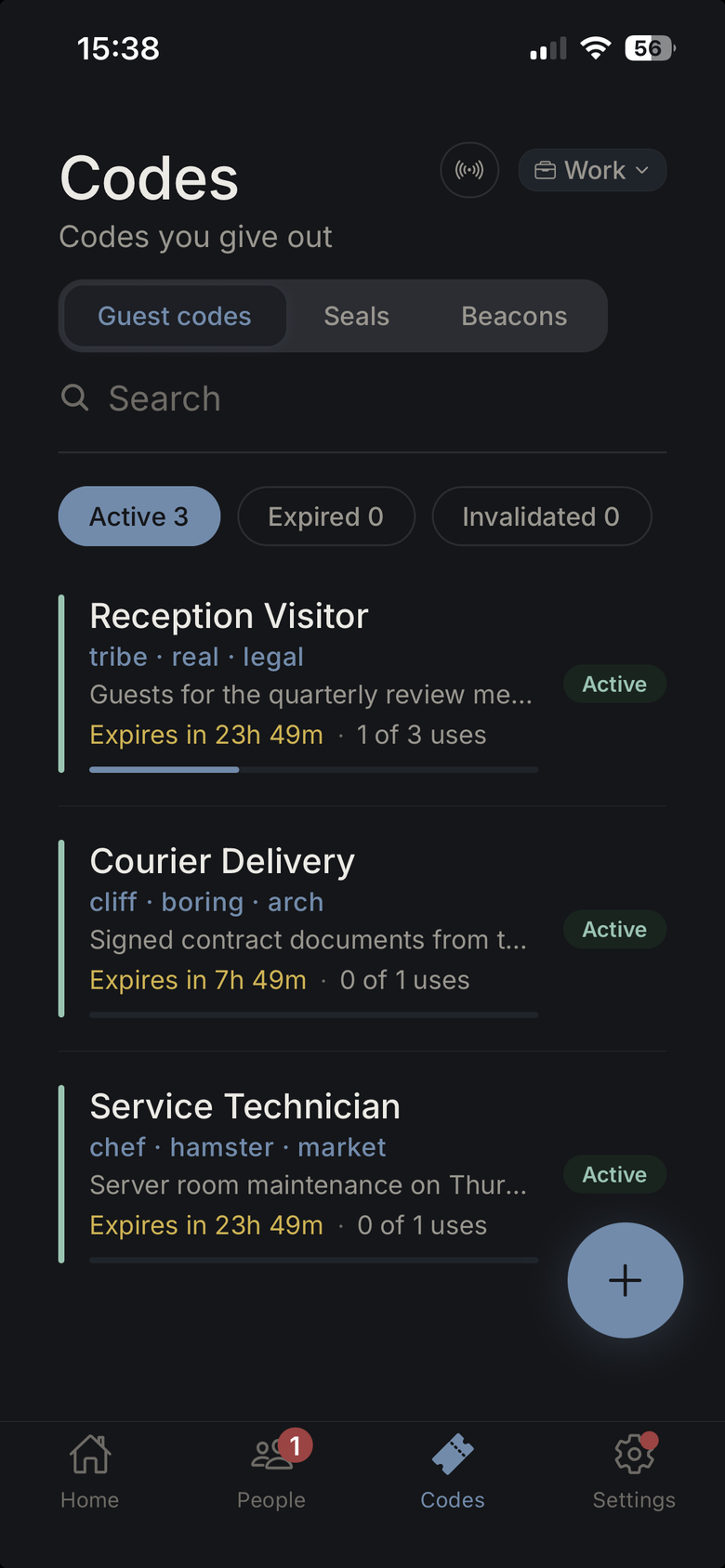
A Guest Code is a short-lived challenge-response pair you generate for any person who needs to verify their identity without having a Trusted Codes account. You create the code, share it with the expected visitor through a trusted channel, and ask for it at the door. Only the person you gave it to can answer.
How it works
- 1You generate a Guest Code in the app — takes under 10 seconds.
- 2Share the code via a channel you trust: a known phone number, email, or booking confirmation.
- 3When the person arrives, ask: "What's the code?" They show or say the words.
- 4If it matches — they're who you arranged to meet. If not, they're not.
Use cases
- Verifying delivery drivers at your home or building
- Confirming the identity of an expected tradesperson or contractor
- One-time access verification for temporary workers
- Clients attending a first meeting where no prior connection exists
- Service engineers visiting a business premises
Key properties
- Single-use by default — code is invalidated after first verification
- Configurable to multi-use for service providers making regular calls
- Configurable expiry — from 1 hour to 30 days
- No account or app installation required for the recipient
Seals
Prove a message or document came from you and has not been altered.
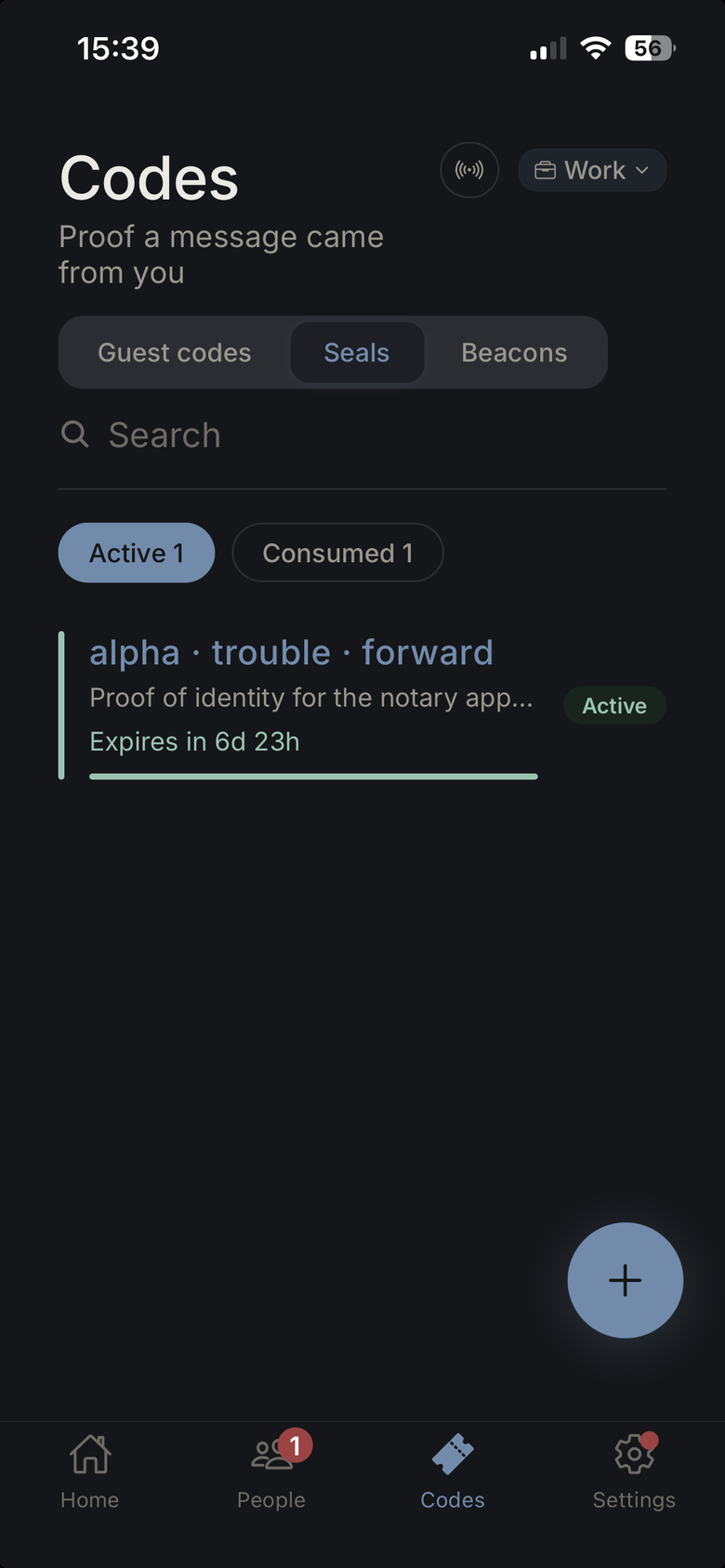
A Seal is a cryptographic signature you attach to any document, invoice, message or file. It proves two things at once: that the content came from your verified identity, and that nothing has changed since. Any recipient can check a Seal in seconds. A modified document — even by a single character — fails the check.
How it works
- 1You seal a document or message from the app or via the API.
- 2A cryptographic signature is generated from your private key and the document content.
- 3The Seal (a short code or QR) travels with the document.
- 4The recipient runs a 3-second check — the Seal either passes or fails. No pass = do not act.
Use cases
- Invoices with bank account details — prevent payment diversion
- Contracts and change orders — detect unauthorised modifications
- Purchase orders and logistics instructions — prevent supply chain fraud
- Executive communications — distinguish genuine instructions from AI-forged ones
- Regulatory documents — prove authenticity for compliance purposes
Key properties
- Mathematically unforgeable — requires your private key, which never leaves your device
- Any modification — including metadata — breaks the Seal
- Timestamp is embedded and tamper-proof
- Works on any file type: PDF, Word, email, plain text
Verification modes
Five ways to verify. One answer.
Every context is different. Trusted Codes adapts — spoken words in a quiet room, a silent tap in a meeting, a QR scan at the door.
Three spoken words
The default mode. Ask "What's your code?" and they read three words from their app. Works offline, across all six supported languages. Nothing to memorise — open the app, read the words.
Offline · 6 languages · Free
Silent tap-to-verify
Both parties tap "Verify" at the same moment. The code is confirmed without either person saying a word — ideal for open-plan offices, public spaces, or any situation where discretion matters.
Business · No words spoken
QR code scan
Show your code as a QR, the other party scans it. Verification is instant and requires no network connection. Works at physical entrances, reception desks, or any in-person check-in.
Free · Works offline
Voice verification
Audio-based verification designed for the desktop companion app and CLI. Useful in headset-only environments and automated voice workflows. The spoken words are compared locally — no audio is transmitted.
Business · Desktop & CLI
Meeting check-in
Verify every participant at the start of a video or conference call. Each attendee checks in; a live roster shows who is verified and who is not. Unverified participants cannot join the sensitive portion of the agenda.
Business · Multi-party
Typing verification
Type the three words instead of speaking them — useful for calls where audio is unavailable or for accessibility. The typed words are matched locally; nothing is sent over the call.
Free · Accessibility-first
Connection management
Every connection on your terms.
Each connection is fully configurable — how it rotates, what language it uses, how it is named and grouped. You are never locked into defaults.
Name, label & describe
Give every connection a human-readable name, a description, and any notes you need. "Mum's iPhone" is easier to find than a user ID. Notes survive device restores and sync across your devices.
Tags & categories
Create custom tags — "Family", "Finance team", "Board members" — and assign connections to one or more tags. Filter your connection list instantly. Tags sync across all your devices.
Templates & presets
Save a set of connection settings (rotation period, language, auto-accept policy) as a named preset. Apply to any new connection in one tap. Organisations can enforce company-wide defaults via templates.
Custom code rotation
Each connection rotates independently — every six hours on a free account, and up to thirty days on Business. High-security connections rotate often; family connections that rarely change can rotate slowly. You choose per connection.
Per-connection language
Codewords can be in any of six languages: English, German, Spanish, French, Italian, Dutch. Whoever creates the connection chooses its language, and it applies to every member of that connection, so everyone says the same words — English with your family, French with a business partner in Paris.
Group & personal connections
Personal connections are private to you. Group connections are a shared vault — useful when a whole team needs to verify with a single client, or when a family member's code needs to be visible to a caregiver.
Trust scores
Each connection accumulates a trust score based on how long it has been active, how frequently it is used for verification, whether the code has been recently re-established, and other risk signals. Low-score alerts flag anomalies before fraud occurs.
Auto-accept policy
For connections where you always approve — a personal assistant, a recurring supplier — enable auto-accept. Verification passes without manual approval. Revocable instantly.
Device & session visibility
See exactly which devices each connection is active on, when they last verified, and from which session. Revoke a compromised device in one tap without losing the connection on other devices.
Business platform
Built for organisations that need more.
With the Business plan your organisation gets its own public page, a portal for managing your staff, and data that no other organisation can see. Enterprise adds the option to run Trusted Codes on your own servers.
Your organisation's public page
BusinessYour organisation gets its own page at verify.trusted.codes/your-name showing your name, logo, colour and verified internet domain. When someone checks a guest code your organisation issued, the result shows your name and logo, so customers and partners can see that the request really comes from you. They need neither the app nor an account. An address on your own domain, such as verify.your-company.com, is not available yet.
Run on your own servers
EnterpriseWith Enterprise, Trusted Codes runs entirely in your data centre or your cloud: database, portals, interfaces (API) and code generation. Stored data and master keys stay on your servers. Two things still go through trusted.codes: your server renews its licence once a day, and push notifications to phones are delivered through us. If that link fails, your staff and customers can keep checking codes during a grace period.
Several organisations, separate data
BusinessOne person can be connected to several organisations at once, for example their bank and their insurer. Each organisation has its own connections with their own codes, its own customer records and its own view in the Business portal, and none of them can see the others' data.
Central management
BusinessIn the Business portal you invite staff, assign roles and sort people into groups, for example by department. For each group or person you decide which features they may use and how many guest codes they can issue per month. You can pass rights such as "invite staff" or "manage groups" to others. Those rights then apply to the whole organisation and cannot be limited to one department.
Invitations
All plansYou invite someone to a connection with a link. When they open it for the first time, the connection is already set up and they have nothing else to do. You can see which of your invitations are still open and withdraw them. Invitations that nobody accepts expire automatically.
Connection templates
BusinessIn the app you save settings you use often as a template: connection name, codeword language, how often the code changes, duration and other options. A default template pre-fills every new connection, and the values can still be changed when you create it. As an administrator you use groups to decide which settings your staff may choose at all, such as which change intervals are allowed.
Activity log
BusinessThe Business portal records who changed what in administration, and when. It covers changes to staff and roles, groups and rules, settings, API keys and webhooks. You can filter entries by type of change. They are kept for 90 days, or 365 days with Enterprise.
Clients & platforms
Your codes, on every device you use.
Trusted Codes runs natively where you already work — phone, desktop, server, terminal and AI assistant. Every client derives the same codes from the same encrypted secrets.
The mobile apps are free for individuals. The desktop app, CLI, REST API and MCP access are part of the Business plan.
iPhone
The full Trusted Codes experience on iOS — codewords, Connections, Guest Codes, silent tap-to-verify and offline verification, protected by Face ID or Touch ID.
TestFlight beta · Free
Android
The same native app on Android. Identical codes, identical rotation — a family or team can mix iPhones and Android phones and verify each other seamlessly.
Google Play · Free
Desktop companion
A lightweight companion app for Windows, Mac and Linux that lives in your system tray. Your current codewords are one global hotkey away — verify mid-call without reaching for your phone.
Business plan
Linux server agent
A headless daemon for operations environments — no desktop dependencies. Runs on any Linux server or container and lets your backend systems verify identities in-process.
Business · Self-managed
REST API & CLI
Script verification from the shell or call it from any language. The CLI covers the full surface — codes, verification, Seals — and the REST API powers business integrations.
Business · Automation
MCP server
A Model Context Protocol server so AI assistants can look up and verify codes during automated workflows — before an agent acts on a request, it checks the human behind it is real.
Business · AI workflows
Integrations & platforms
Verification everywhere you work.
Trusted Codes ships on every surface — mobile, desktop, server and AI agent — so verification fits into your existing workflow rather than replacing it.
REST API
Full programmatic access to Connections, Beacons, Guest Codes and Seals. Authenticate with API keys or OAuth. Rate-limited, versioned and documented. Ideal for server-to-server verification, CRM workflows and custom portals.
MCP Server
A Model Context Protocol server that lets AI agents — Claude, ChatGPT, and any MCP-compatible client — trigger identity verification inside automated workflows. Verify a caller's identity before an AI processes a sensitive request.
CLI
A command-line interface for Windows, Mac, and Linux. Run verifications from shell scripts, CI pipelines, and infrastructure-as-code workflows. Headless mode for non-interactive environments. REPL mode for exploratory use.
Desktop app
A native companion app for Windows, Mac and Linux. Runs in the system tray — verify in seconds without switching apps. Includes Seals (sign documents), voice verification and a built-in MCP configuration panel.
Linux server agent
A lightweight background agent for Linux servers. Integrates with CRM systems, ticketing platforms, and automation frameworks. Exposes a local REST API for in-process verification. Suitable for Salesforce, HubSpot, and n8n connectors.
Security & privacy
Designed so we cannot help attackers even if we wanted to.
Zero-knowledge architecture
Your private keys and secrets never leave your device. We store only ciphertext we cannot decrypt.
End-to-end encrypted
Every secret is encrypted on your device before transmission. Decryption happens only on your other devices.
Offline-first
Codes are generated locally from a stored secret. No internet connection required — no signal, no problem.
GDPR compliant, EU hosted
All data is stored in the European Union. Full data-subject rights supported. DPA available on request.
Recovery words
Three recovery words unlock your data on a new device. They open an envelope only they can open — we store it, and we cannot read it.
Device management
See every active device on your account. Revoke any device instantly. Compromised devices lose access immediately.
Trust scores
Every connection accumulates a risk signal. Anomalous patterns — sudden rotation changes, new devices — surface automatically.
Session management
Full visibility into active sessions. Force-expire sessions for any user from the admin panel, or from your own account settings.
Start with what matters most.
Connections and Guest Codes are free for personal use. The Business plan adds Beacons, Seals, the desktop app, the business portal and integrations.
See the Threats We Stop